Expedia Remit Processor
Hybrid Google Apps Script + browser JavaScript application that automates daily remittance verification. Parses Excel files client-side using SheetJS, matches against payment logs, calculates variances, and writes results directly to Google Sheets—all with zero infrastructure cost.
Zero infrastructure cost. By moving Excel parsing to the browser using SheetJS, the solution avoids Google Apps Script's inability to handle .xlsx files natively while eliminating the need for external servers, APIs, or file storage services.

The Problem
Business Context
Finance team at WEX processes daily remittance files from Expedia. Each payment must be verified by comparing the expected amount against the sum of transactions in the corresponding Excel remit file. This compliance function was entirely manual—until the team's migration from Excel to Google Sheets broke their existing VBA automation.
The Manual Process
Pain Points
| Issue | Impact |
|---|---|
| Time-consuming | 15-30+ minutes daily; each file requires open/sum/copy cycle |
| Error-prone | Manual summing and copy/paste introduces transcription errors |
| Legacy system broken | VBA macro stopped working after Google Sheets migration |
| No Air remit support | Legacy macro never handled Air_Remit_* file format |
| Multi-currency complexity | 18+ currencies with different file naming patterns |
| Knowledge bottleneck | Only trained staff knew column positions and file conventions |
The Solution
A hybrid Google Apps Script + browser JavaScript application that keeps Excel parsing entirely client-side using SheetJS, bypassing Apps Script's limitations while maintaining native Google Sheets integration.
Sheet Scanner
Auto-detects payment entries by parsing PaymentRefNbr, Currency, and Amount columns
Bulk File Upload
Drag-and-drop multiple .xlsx files, processes in parallel client-side
Auto-Matching Engine
Matches files to entries using composite Ref+Currency key
Result Writer
Writes RemitAmt and Variance back to sheet automatically
Key Design Decisions
| Decision | Choice | Rationale |
|---|---|---|
| File parsing location | Client-side (browser) | Apps Script cannot natively parse .xlsx |
| Matching logic | Ref + Currency composite key | Handles multi-currency uniqueness |
| UI architecture | Modal dialog + web app | Best balance of integration and usability |
| State management | Client-side with config persistence | Faster UX; settings survive sessions |
Technical Architecture
The hybrid architecture splits responsibilities: Apps Script handles Google Sheets integration while browser JavaScript (with SheetJS) handles Excel parsing. This bypasses platform limitations while delivering a seamless user experience.
| Component | Technology | Purpose |
|---|---|---|
| Server-Side | Google Apps Script | Sheet operations, menu integration |
| Client-Side | JavaScript (ES6+) | File parsing, UI logic |
| Excel Parser | SheetJS (xlsx.js) | Client-side .xlsx parsing |
| Data Layer | Google Sheets | Input data, results storage |
| UI Framework | HTML5/CSS3 | Custom dashboard interface |
Currency Support
| Code | Currency | Region | Volume |
|---|---|---|---|
| USD | US Dollar | North America | High |
| EUR | Euro | Europe | High |
| GBP | British Pound | Europe | Medium |
| CAD | Canadian Dollar | North America | Medium |
| AUD | Australian Dollar | APAC | Medium |
| MXN | Mexican Peso | Latin America | Medium |
| HKD | Hong Kong Dollar | APAC | Low |
| JPY | Japanese Yen | APAC | Low |
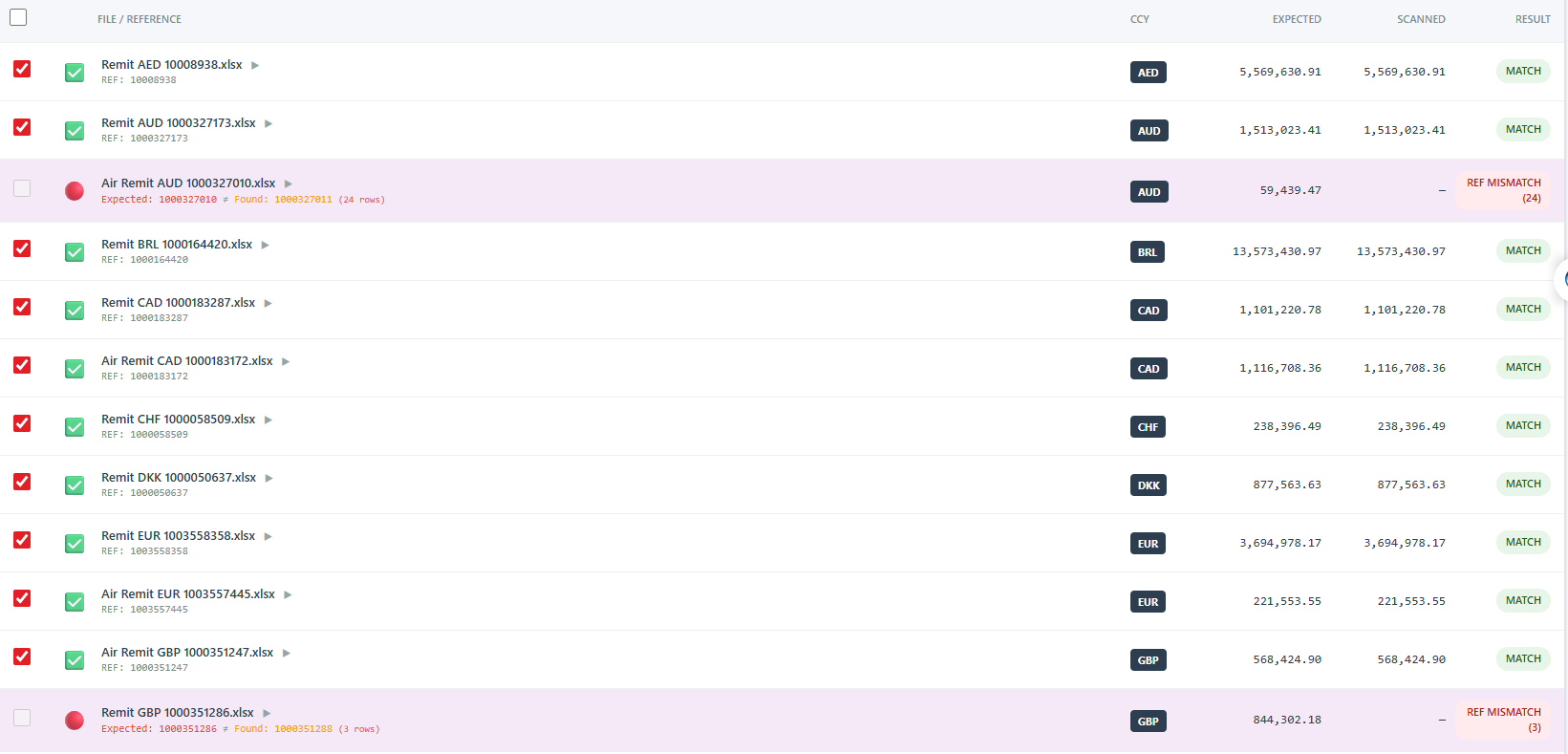
Processing Workflow
Error Handling
| Scenario | How It's Handled |
|---|---|
| No PaidAmt column found | Searches common variations; logs warning if not found |
| PaymentRef not in uploaded files | Entry remains queued as unmatched; user can add manually |
| Rounding variance (small) | Variance displayed; threshold alerts available |
| Air vs Standard format | Unified parser handles both; auto-detects from filename |
| No valid entries in sheet | Informative error with expected format hints |
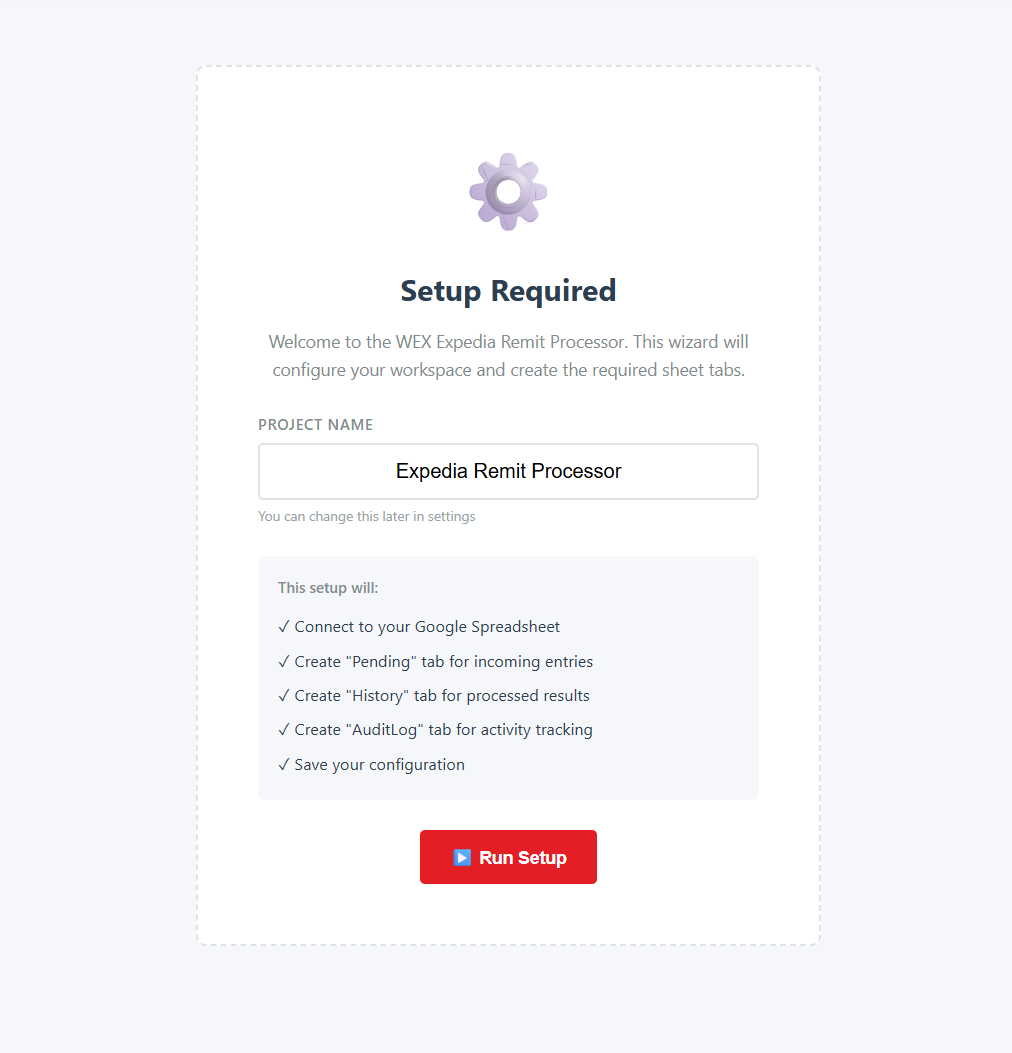
Results
| Metric | Before | After | Improvement |
|---|---|---|---|
| Processing Time | 15-30 min/day | 1-2 min/day | ~90% |
| File Handling | One at a time | Bulk processing | Parallel |
| Accuracy | Variable (manual) | 100% | Error-free |
| Air Remit Support | Not supported | Full support | New capability |
| Annual Hours Saved | 100-150 hrs | 5-10 hrs | ~125 hrs |
Stakeholder Feedback
"This finally gives us Air remit coverage we never had"
"What used to take half an hour now takes a minute"
"Reduced our exposure to manual reconciliation errors"